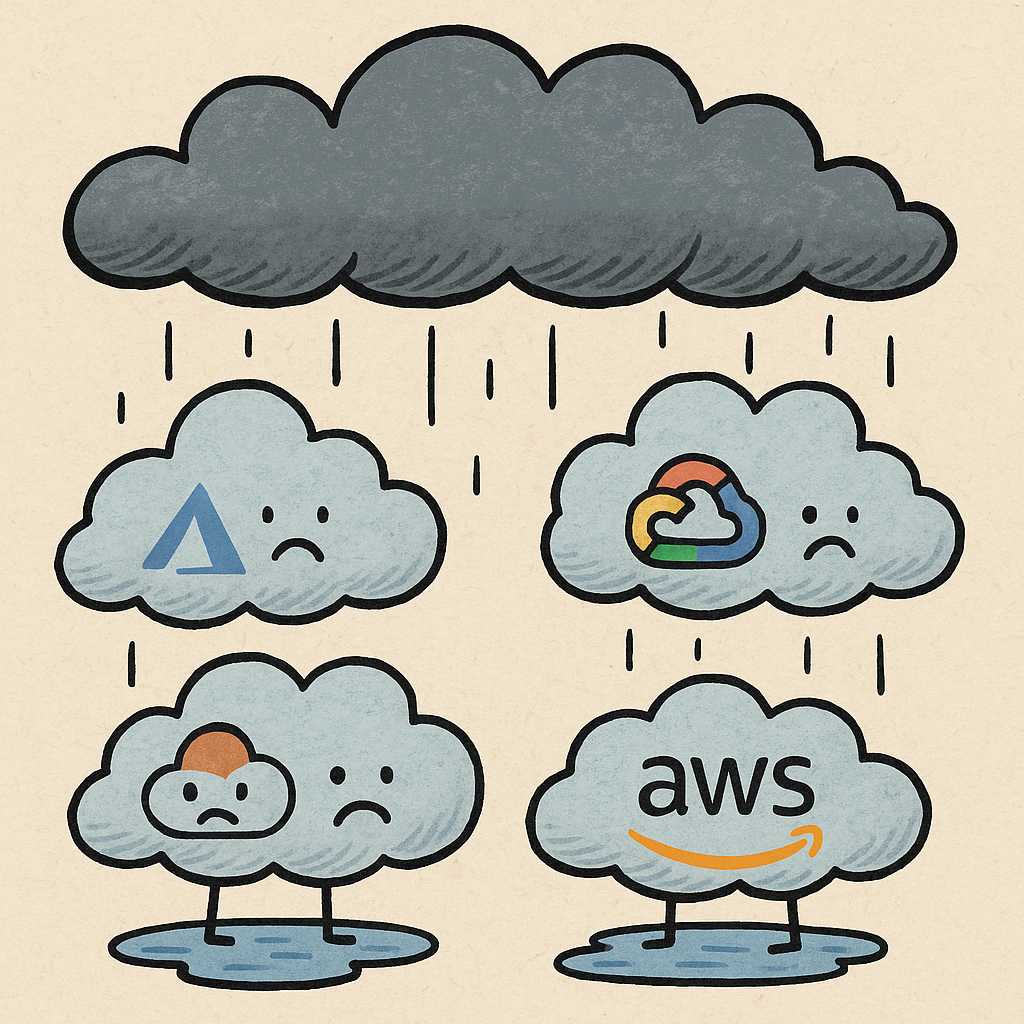
The CrowdStrike incident of July 2024 didn’t just take down 8.5 million Windows systems—it cost Fortune 500 companies over $5 billion and exposed a fundamental truth about modern cloud infrastructure: we’ve built incredibly complex systems on foundations that can collapse from a single configuration error.
After analyzing 14 major cloud outages over the past 24 months, a disturbing pattern emerges: 68% of all cloud service interruptions in 2024 were caused by human mistakes, not sophisticated cyberattacks or hardware failures.
As engineering leaders, we can no longer afford to assume our cloud providers will handle reliability for us. Let’s dive into what actually happened and how to protect your systems.
The Complete Picture: 24 Months of Cloud Failures
Here’s the comprehensive data on major cloud outages from April 2024 through November 2025:
| Date | Provider | Duration | Services Affected | Estimated Damage | Root Cause |
|---|---|---|---|---|---|
| April 23, 2024 | Microsoft Azure (China) | ~2.5 hours | Azure China portal, APIs, 12+ services | Not disclosed | Two domains incorrectly flagged for decommissioning during internal regulatory compliance audits |
| July 19, 2024 | CrowdStrike (affecting Windows/Azure) | Days for full recovery | Airlines, banks, hospitals, emergency services, retail globally | Over $5 billion for Fortune 500 companies | Faulty kernel configuration file update caused Windows blue screen of death |
| July 2024 | Microsoft Azure | ~10 hours | Global Azure services | Not disclosed | DDoS attack compounded by error in defense implementation |
| August 2024 | AWS (US-EAST-1) | ~50 minutes | Identity and Access Management (IAM) | Not disclosed | IAM issue caused login failures in one region |
| October 24, 2024 | Google Cloud (Frankfurt) | 12 hours 39 minutes | Compute Engine, Kubernetes, Persistent Disk, Cloud ML | Not disclosed | Power failure and cooling issue led to partial zone shutdown in europe-west3-c |
| November 2024 | Google Cloud | 19 hours | Vertex Gemini API | Not disclosed | Outage affected specific AI/ML functions |
| Late 2024 | Microsoft Azure (China North 3) | 50 hours | Regional services | Not disclosed | Longest recorded outage in the dataset |
| June 12, 2025 | Google Cloud (Global) | Several hours | 13 cloud services across U.S., Europe, Asia | Not disclosed | Network configuration change |
| June 12, 2025 | Cloudflare | ~2 hours 28 minutes | Workers KV, Access, WARP | Not disclosed | Network policy update affecting mesh layer for internal traffic management |
| July 14, 2025 | Cloudflare | 62 minutes | 1.1.1.1 DNS Resolver | Not disclosed | Service topology change caused downtime for public DNS resolver |
| October 9, 2025 | Microsoft Azure | ~4 hours | Azure Portal and management portals (45% of customers) | Not disclosed | Erroneous metadata propagating through Azure Front Door |
| October 20, 2025 | AWS (US-EAST-1) | 15+ hours | DynamoDB, EC2, and dependent services including Slack, Atlassian, Snapchat | Not disclosed | DNS race condition when two automated systems tried to update same data simultaneously |
| October 29, 2025 | Microsoft Azure (Global) | ~9 hours | Azure Front Door, Microsoft 365, Xbox, Minecraft, Azure Portal | Not disclosed | Inadvertent configuration change in Azure Front Door CDN |
| November 18, 2025 | Cloudflare (Global) | Several hours | One-third of world’s 10,000 most popular websites (X, ChatGPT, Spotify, Zoom) | Not disclosed | Bot Management configuration file grew beyond expected size, triggering crashes |
The Alarming Trends
Critical Outages Are Increasing
Critical cloud outages rose 18% in 2024, lasting nearly 19% longer than in 2023.
This isn’t just a blip—it’s a trend that should concern every engineering leader building on cloud infrastructure.
Provider-Specific Patterns
Google Cloud: 57% increase in downtime hours year-over-year
Microsoft Azure: Reduced downtime by over 20% (though still experienced some of the longest individual outages)
AWS: Concentrated issues in US-EAST-1 region, including a catastrophic 15+ hour DynamoDB/EC2 outage
Cloudflare: Multiple global incidents affecting a third of the world’s top websites
The $5 Billion Lesson: What Really Causes Cloud Failures
The data reveals three dominant failure patterns that account for the vast majority of outages:
1. Configuration Errors (The Silent Killer)
68% of all cloud service interruptions stem from configuration mistakes.
Notable Examples:
- Azure Front Door inadvertent configuration change (9 hours, global impact)
- Google Cloud network configuration change (multiple hours, 13 services)
- Azure China domains incorrectly flagged for decommissioning (2.5 hours)
- Cloudflare network policy update (2.5 hours, global)
Why This Matters:
Configuration changes are necessary for infrastructure evolution, but they’re happening at a scale and complexity where human review alone cannot catch all errors.
The industry is deploying hundreds or thousands of configuration changes daily across global infrastructure, and traditional change management processes aren’t keeping pace.
2. DNS and Network Policy Issues
The Cascading Failure Pattern:
DNS and networking issues don’t just affect one service—they cascade through entire ecosystems.
AWS US-EAST-1 (October 20, 2025): A DNS race condition when two automated systems tried to update the same data simultaneously took down DynamoDB and EC2, which cascaded to:
- Slack (communication down)
- Atlassian (project management unavailable)
- Snapchat (consumer services offline)
- Hundreds of other dependent services
Duration: 15+ hours
This reveals a critical vulnerability in modern architectures: we’ve created intricate dependency chains where a single DNS failure can collapse entire business ecosystems.
3. Automated Systems Conflicts
The irony is profound: the automation we built to prevent human error is now creating new categories of failures.
AWS DNS Race Condition: Two automated systems simultaneously updating the same data
Cloudflare Bot Management: Configuration file grew beyond expected size due to automated additions, triggering crashes in traffic handling systems
CrowdStrike Update: Automated kernel-level update deployment without adequate testing gates
The Challenge:
As we build more sophisticated automation for scale, we’re introducing complex interactions that are:
- Harder to predict
- Faster to propagate
- More difficult to rollback
The Hidden Cost: What the Damage Estimates Don’t Capture
Direct Financial Impact
CrowdStrike Incident Alone:
- Healthcare sector: $1.94 billion in losses
- Banking sector: $1.15 billion in losses
- Insurance payouts: ~$1.5 billion
- Total Fortune 500 losses: Over $5 billion
Indirect Costs You Can’t See
Customer Trust Erosion: Every outage chips away at customer confidence. When Slack goes down during critical business hours, companies start exploring Microsoft Teams.
Productivity Loss: 15 hours of DynamoDB downtime means 15 hours of engineering teams sitting idle, unable to deploy, unable to debug production issues.
Opportunity Cost: While your services are down, your competitors are capturing market share.
Regulatory Scrutiny: Healthcare and financial services outages attract regulatory attention, leading to audits, fines, and increased compliance burdens.
What Engineering Leaders Get Wrong About Cloud Reliability
Mistake #1: “We’re on AWS/Azure/GCP, So We’re Reliable”
Cloud providers give you tools for reliability, not guaranteed reliability. Their SLAs allow 52 minutes to 4.38 hours of downtime per year, but actual outages in 2024-2025 exceeded those budgets by 17x to 114x.
Reality Check:
Cloud providers give you tools for reliability, not guaranteed reliability.
Their SLAs typically offer:
- 99.99% uptime = 52 minutes of downtime per year
- 99.95% uptime = 4.38 hours of downtime per year
But as we’ve seen:
- Azure China North 3: 50 hours (114x the annual budget for 99.99%)
- AWS US-EAST-1: 15+ hours (17x the annual budget for 99.99%)
The SLA credits you receive don’t compensate for:
- Lost revenue during downtime
- Customer churn
- Engineering time spent on incident response
- Reputation damage
Mistake #2: “Multi-Region Deployment Solves Everything”
What Actually Happens:
Azure China (April 2024): Multi-region strategy failed because the issue was at the DNS/domain level, affecting all regions
Google Cloud (June 2025): Network configuration change impacted 13 services across U.S., Europe, and Asia simultaneously
Cloudflare (November 2025): Bot Management issue affected one-third of the world’s top 10,000 websites globally
The Truth:
Multi-region deployment protects against:
- ✅ Regional infrastructure failures
- ✅ Data center outages
- ✅ Localized network issues
But it doesn’t protect against:
- ❌ Global control plane failures
- ❌ DNS and routing issues
- ❌ Configuration errors propagated globally
- ❌ Identity/authentication system failures
Mistake #3: “We’ll Just Fail Over to Another Cloud Provider”
The Reality of Multi-Cloud:
Multi-cloud sounds great in theory, but:
Cost Overhead:
- Running redundant infrastructure across multiple clouds: 2-3x cost increase
- Data egress fees between clouds: substantial
- Multiple operations teams needed: increased headcount
Operational Complexity:
- Different APIs, tools, and operational models
- Different security models and compliance controls
- Synchronization and consistency challenges
- Testing and validation overhead
Feasibility Gap:
Most organizations can’t achieve true active-active multi-cloud because:
- Stateful data synchronization is complex and expensive
- Application architectures need significant redesign
- Operational overhead overwhelms smaller teams
What architecture patterns protect against cloud outages?
Based on 20+ years of building resilient systems, here’s what actually protects you:
How does graceful degradation protect against cloud outages?
Core Principle: Your system should continue operating at reduced capacity rather than failing completely.
Implementation:
Feature Flags for Core Functionality:
Critical Path: Authentication → Core Business Logic → Basic UI
Non-Critical Path: Analytics, Recommendations, Advanced Features
When cloud services fail:
- ✅ Authentication still works (cached credentials, backup auth)
- ✅ Core business logic operates (in-memory processing, local cache)
- ✅ Basic UI remains functional (static content, cached pages)
- ⚠️ Analytics might be delayed
- ⚠️ Recommendations might be stale
- ⚠️ Advanced features temporarily disabled
Real-World Example:
During an AWS S3 outage, a client’s e-commerce platform:
- Continued accepting orders (stored in local queue)
- Served product pages from CDN cache
- Disabled image uploads and reviews temporarily
- Result: 85% of normal revenue instead of $0
How do circuit breakers prevent cascading cloud failures?
For Every External Dependency, Implement:
Circuit Breaker:
- Detect when a service is failing (error rate threshold)
- Stop making requests to failing service (prevent cascade)
- Periodically test if service has recovered
- Automatically resume when healthy
Fallback Strategy:
- Cached responses
- Degraded functionality
- Alternative data sources
- User-friendly error messages
Critical Services Need Multiple Fallback Layers:
Layer 1: Primary cloud service (AWS DynamoDB) ↓ (Circuit breaker detects failure)
Layer 2: Regional failover (Different AWS region) ↓ (Regional issue detected)
Layer 3: Read replicas and cache (Stale data acceptable) ↓ (Complete cloud failure)
Layer 4: Minimal functionality (Essential operations only)
How do you architect independence from cloud control planes?
The Problem:
Many outages affect the control plane (management APIs, consoles, IAM) while the data plane (running services) remains healthy.
AWS US-EAST-1 (August 2024): IAM failure meant you couldn’t log in, but running EC2 instances continued serving traffic.
Azure (October 2025): Azure Portal down, but deployed services continued running.
The Solution:
Architect for Control Plane Independence:
✅ Pre-deployed infrastructure that doesn’t need management API access to function
✅ Local configuration rather than pulling from remote configuration services
✅ Embedded credentials and secrets (with proper security controls)
✅ Automated runbooks that execute without human access to cloud console
Example Architecture:
- EC2 instances with instance metadata for credentials (not IAM API calls)
- Configuration baked into container images (not pulled from remote config service)
- Auto-scaling policies pre-configured (not requiring API calls to adjust)
- Monitoring and alerting that doesn’t depend on cloud provider’s monitoring UI
Why is chaos engineering essential for cloud reliability?
If you’re not regularly testing failure scenarios, you’re not ready for real outages.
Monthly Chaos Experiments:
Week 1: Regional Failure
- Simulate entire AWS region going offline
- Measure: Time to failover, data consistency, customer impact
Week 2: DNS Failure
- Simulate DNS resolution failing for your services
- Measure: Fallback mechanisms, cached DNS performance
Week 3: Control Plane Failure
- Disconnect from cloud management APIs
- Measure: Can services continue operating? Can you deploy emergency fixes?
Week 4: Dependency Failure
- Simulate critical third-party service (payment processor, auth provider) going down
- Measure: Graceful degradation, user experience
GameDay Exercises:
Quarterly full-scale incident simulations with:
- Engineering team responding without playbooks
- Customer support handling user impact
- Executive team making business decisions
- Post-mortem analysis and improvement plans
Why is independent observability critical during outages?
You can’t respond to what you can’t see.
Critical Observability Requirements:
1. Independent Monitoring Infrastructure
❌ Don’t rely solely on AWS CloudWatch when monitoring AWS services ✅ Use independent monitoring (Datadog, New Relic, self-hosted Prometheus)
Why: When AWS control plane fails, CloudWatch console may be inaccessible
2. Business Metrics, Not Just Technical Metrics
Track:
- Orders processed per minute
- Revenue generated per minute
- User authentication success rate
- Core API response times
- Payment transaction completion rate
Why: These directly show business impact, helping prioritize incident response
3. Dependency Mapping
Maintain a live dependency graph:
- Which services depend on which cloud services
- What happens when each dependency fails
- Estimated business impact of each failure
4. Distributed Tracing
For complex distributed systems:
- Track requests across multiple services
- Identify where failures originate
- Understand cascading failure patterns
The Incident Response Playbook
When a major cloud outage hits, here’s what separates high-performing teams from those that scramble:
Phase 1: Detection (0-5 minutes)
Automated Alerting Must Trigger On:
- Error rate spikes (>5% increase)
- Latency degradation (p99 >2x normal)
- Traffic drops (>20% decrease)
- Dependency failures (circuit breakers opening)
War Room Assembly:
- Incident Commander (single decision maker)
- Engineering Lead (technical decisions)
- Customer Support Lead (user communication)
- Business Lead (business impact assessment)
Phase 2: Assessment (5-15 minutes)
Critical Questions to Answer FAST:
-
Is this us or our cloud provider?
- Check provider status pages
- Check independent monitoring services
- Check social media for reports
-
What’s the blast radius?
- Which services are affected?
- How many customers impacted?
- What’s the business impact ($$$)?
-
What are our options?
- Can we failover to another region?
- Can we enable graceful degradation?
- Do we have a rollback path?
Phase 3: Response (15 minutes - hours)
If it’s a cloud provider issue:
✅ Activate fallback systems if available
✅ Enable graceful degradation to minimize customer impact
✅ Communicate proactively with customers
✅ Document everything for post-mortem
❌ Don’t waste time trying to “fix” the cloud provider’s problem
If it’s your issue:
✅ Rollback if recent deployment
✅ Failover to healthy region/availability zone
✅ Scale up if capacity issue
✅ Deploy hotfix if critical bug
Phase 4: Communication
Customer Communication Timeline:
15 minutes: Initial acknowledgment “We’re investigating reports of service degradation”
30 minutes: Status update “We’ve identified the issue as an AWS US-EAST-1 outage affecting DynamoDB. We’re activating backup systems.”
Every 30 minutes: Progress updates “Our engineering team has successfully failed over to US-WEST-2. Services are being restored.”
Resolution: Final update “Services fully restored. Post-mortem will be published within 72 hours.”
72 hours: Detailed post-mortem Transparent explanation of what happened, why, and how you’re preventing recurrence
Phase 5: Post-Mortem (Within 72 hours)
Blameless Post-Mortem Template:
What Happened:
- Timeline of events
- Services affected
- Customer impact (users, revenue, duration)
Root Cause Analysis:
- Primary cause
- Contributing factors
- Why existing safeguards didn’t prevent this
What We’re Doing:
- Immediate fixes (already implemented)
- Short-term improvements (next 2 weeks)
- Long-term architectural changes (next quarter)
What We Learned:
- Gaps in our systems
- Process improvements
- Knowledge sharing
The Strategic Question Every Engineering Leader Must Answer
After reviewing these 14 major outages, the question isn’t “Will our cloud provider have an outage?”
The question is: “When our cloud provider has their next major outage, will our systems survive?”
Your Resilience Assessment Checklist
Architecture:
- Do we have graceful degradation for core features?
- Have we implemented circuit breakers for all external dependencies?
- Can our services operate without cloud control plane access?
- Have we tested multi-region failover in the last 90 days?
Operations:
- Do we run monthly chaos engineering experiments?
- Is our monitoring independent of our cloud provider?
- Do we have runbooks for the top 10 failure scenarios?
- Can we deploy without accessing cloud management consoles?
Business Continuity:
- Have we quantified the business impact of different outage scenarios?
- Do we have customer communication templates ready?
- Is our incident response team trained and ready?
- Have we reviewed our cloud provider SLAs and understood the gaps?
Need help building a comprehensive business continuity plan? Learn more about our business continuity consulting services.
The Business Case for Business Continuity Planning
When should you invest in a formal Business Continuity Plan?
According to CISSP (Certified Information Systems Security Professional) methodology, the calculation is straightforward:
Create a BCP when: Cost of Lost Business > Cost of Creating and Maintaining the Plan
The CISSP Calculation
Step 1: Calculate Annualized Loss Expectancy (ALE)
ALE = SLE × ARO

Where:
- SLE (Single Loss Expectancy) = Cost of a single outage incident
- ARO (Annual Rate of Occurrence) = Probability of outage per year
Step 2: Compare Against BCP Investment
If ALE > (Initial BCP Cost + Annual Maintenance Cost)
Then: Invest in Business Continuity Planning
Real-World Example
SaaS Company Analysis:
Single Loss Expectancy (SLE):
- Revenue loss: $50,000/hour × 8 hours (average major outage) = $400,000
- Customer churn: $150,000 (estimated from post-outage analysis)
- Productivity loss: $25,000 (engineering time, support tickets)
- Reputation damage: $75,000 (conservative estimate)
- Total SLE: $650,000
Annual Rate of Occurrence (ARO):
- Based on our data: 18% increase in critical outages
- Conservative estimate: 0.5 (one major incident every 2 years)
Annualized Loss Expectancy:
ALE = $650,000 × 0.5 = $325,000 per yearBCP Investment:
- Initial planning and implementation: $75,000
- Annual maintenance and testing: $25,000/year
- Total Year 1: $100,000
- Subsequent Years: $25,000/year
ROI Calculation:
Year 1 Benefit: $325,000 - $100,000 = $225,000 savings
Year 2+ Benefit: $325,000 - $25,000 = $300,000 savings per year
The business case is clear: Even with conservative estimates, the BCP investment pays for itself within the first year.
Key Factors to Include in Your Calculation
Revenue Impact:
- Direct revenue loss during downtime
- Contractual SLA penalties
- Lost deals and sales opportunities
Customer Impact:
- Churn rate increase post-incident
- Customer acquisition cost to replace lost customers
- Lifetime value of churned customers
Operational Costs:
- Emergency response labor (overtime, consultants)
- Data recovery and system restoration
- Customer support surge capacity
Reputational Damage:
- Brand value erosion
- Negative press coverage
- Competitive disadvantage
- Regulatory scrutiny and compliance costs
Based on the 2024-2025 outage data:
- Average major outage: 8-12 hours
- Industry average cost: $300,000-$5,000,000+ depending on company size
- Probability: Increasing 18% year-over-year
The question isn’t whether you can afford to invest in business continuity planning—it’s whether you can afford not to.
The Hard Truth About Cloud Reliability
The cloud has given us incredible capabilities: global scale, elastic capacity, managed services that would have taken years to build ourselves.
But it’s also created a dangerous illusion of reliability.
The data is clear:
- 18% increase in critical outages
- 68% caused by human error
- 19% longer duration
- Billions in damages
The responsibility for reliability has shifted from cloud providers to engineering teams.
Your cloud provider gives you the tools. It’s up to you to architect systems that survive their inevitable failures.
Taking Action: Your Resilience Implementation Plan
Phase 1: Assessment
Current State Analysis:
- Map all cloud dependencies
- Identify single points of failure
- Calculate business impact of key failure scenarios
- Review existing monitoring and alerting
- Audit incident response capabilities
- Assess current failover mechanisms
Phase 2: Quick Wins
Immediate Improvements:
- Implement circuit breakers for critical dependencies
- Set up independent monitoring
- Create incident response runbooks
- Deploy graceful degradation for top 3 critical features
- Test failover procedures
- Conduct first chaos engineering experiment
Phase 3: Long-Term Resilience
Architectural Enhancements:
- Design multi-region architecture for critical services
- Implement control plane independence
- Establish chaos engineering practice
- Run full-scale GameDay exercise
- Document learnings and gaps
- Create ongoing resilience roadmap
Key Takeaways
✅ Cloud outages are increasing in frequency and duration - this trend will continue as systems grow more complex
✅ 68% of failures are human error - invest in automation, testing, and safeguards around configuration changes
✅ Multi-region isn’t enough - you need graceful degradation, circuit breakers, and control plane independence
✅ Chaos engineering isn’t optional - if you haven’t tested failure scenarios, you’re not ready
✅ Incident response is a practice - like fire drills, it requires regular training and realistic simulations
✅ Observability is your foundation - independent monitoring and business metrics are critical
The Bottom Line
The CrowdStrike incident, Azure’s 50-hour outage, AWS’s 15-hour DynamoDB failure—these aren’t anomalies.
They’re the new normal.
As engineering leaders, we have a choice:
Option 1: Hope our cloud provider doesn’t have an outage during critical business periods
Option 2: Architect systems that survive the inevitable failures, protect customer experience, and maintain business continuity
The organizations that thrive in the next decade won’t be those with the best cloud provider.
They’ll be those with the best resilience architecture.
What’s your resilience strategy?
Need expert guidance on building resilient systems and business continuity plans? Explore our business continuity services or schedule a consultation to discuss your specific challenges.
How to protect your business from cloud outages
What causes most cloud outages?
68% of all cloud service interruptions in 2024 were caused by human error, primarily configuration mistakes. The three dominant failure patterns are configuration errors (such as inadvertent changes to Azure Front Door or Google Cloud network settings), DNS and network policy issues that cascade through dependency chains, and automated systems conflicts where automation built to prevent errors creates new categories of failures.
Does multi-region deployment prevent cloud outages?
Multi-region deployment protects against regional infrastructure failures, data center outages, and localized network issues, but it does not protect against global control plane failures, DNS and routing issues, configuration errors propagated globally, or identity/authentication system failures. In 2024-2025, multiple outages affected all regions simultaneously — including a Google Cloud network change that hit 13 services across the U.S., Europe, and Asia.
What is graceful degradation architecture?
Graceful degradation architecture is a design pattern where a system continues operating at reduced capacity rather than failing completely during outages. It separates critical functionality (authentication, core business logic, basic UI) from non-critical features (analytics, recommendations, advanced features), allowing the system to disable non-essential capabilities while keeping core operations running.
How much do cloud outages cost?
The CrowdStrike incident alone cost Fortune 500 companies over $5 billion, with the healthcare sector losing $1.94 billion and banking losing $1.15 billion. Beyond direct financial impact, cloud outages cause customer trust erosion, productivity loss, opportunity cost, and regulatory scrutiny. Critical cloud outages rose 18% in 2024 and lasted 19% longer than in 2023.
When should you invest in a business continuity plan?
According to CISSP methodology, you should invest in a BCP when the Annualized Loss Expectancy (ALE) exceeds the cost of creating and maintaining the plan. ALE is calculated as Single Loss Expectancy multiplied by Annual Rate of Occurrence. For a SaaS company with $50K/hour revenue loss, a single 8-hour outage costs roughly $650K total. With a conservative 0.5 annual occurrence rate, the $325K annual expected loss far exceeds a typical $100K first-year BCP investment.